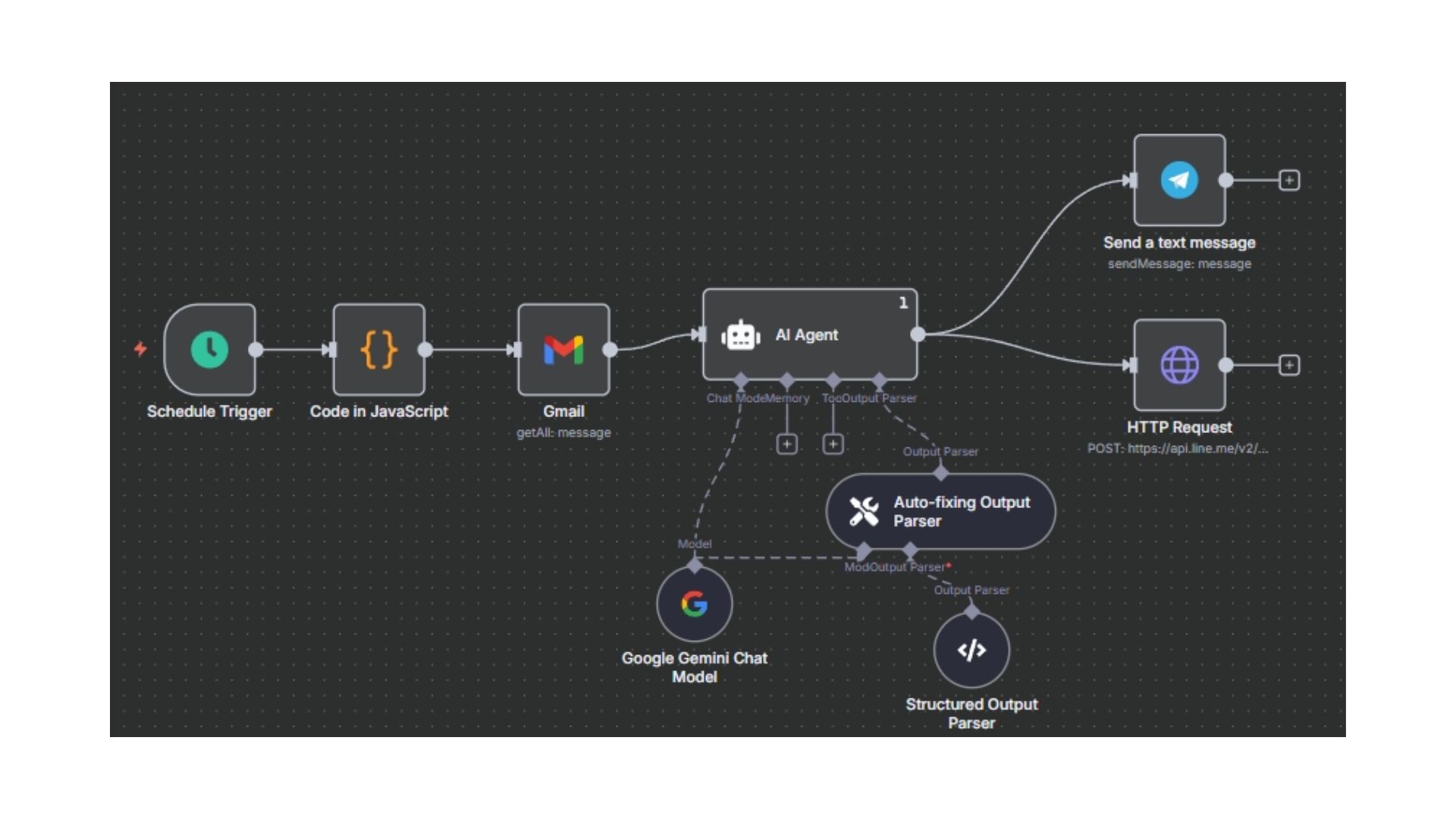
- Developed an end-to-end automation workflow on the n8n platform to process incoming emails, summarize their content using Generative AI, and broadcast the summary to a communication channel.
- This system acts as an AI Agent, significantly reducing time spent manually reading emails by providing concise, actionable summaries focused on key information.
- Improved operational efficiency by ensuring users receive real-time notifications of important email content directly in a preferred communication tool (e.g., Slack, Line, or Teams).
E-mail Summary AI Agent
What?
How?
- Utilized the Email Trigger Node in n8n to monitor a mailbox for new messages based on a scheduled interval.
- Used Function Nodes or Data Manipulation Nodes to parse the AI's response and format the summary notification with key details.
- Sent the final, formatted summary message using a dedicated Notification Node (e.g., Telegram, Line) for instant user awareness.
- Integrated with an LLM (Large Language Model) API (e.g., OpenAI, Gemini) via an HTTP Request or dedicated AI node, passing the email body along with a System Prompt for high-quality summarization.
Method
flowchart TB
A[" Email Trigger (New Mail)"]
B[" Filter (Important/Specific Sender)"]
C[" LLM Node (Summarize E-mail)"]
D[" Notification Node (Telegram/Line Notify)"]
A e1@--> B
B e2@--> C
C e3@--> D
e1@{animation: fast }
e2@{animation: fast }
e3@{animation: fast }
Add-on Feature: AI Email Categorization & Labeling
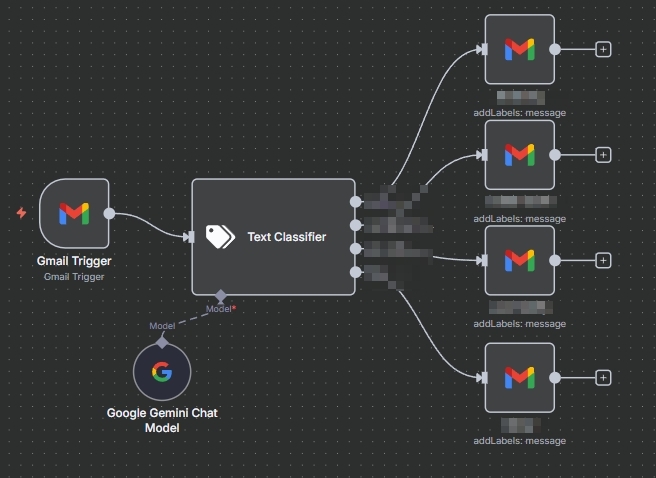
Add-on simple summarization, this workflow can be extended into a smart email management system by leveraging AI for automatic Categorization and Labeling:
- AI Categorization: The LLM Node analyzes the email content to dynamically assign a category (e.g., "Sales Lead," "IT Support," "Vendor Invoice") based on predefined instructions (Prompting).
- Automated Labeling: Once the category is identified, the workflow uses an Email/Gmail Node to automatically apply a corresponding label/tag to the original email in the inbox, drastically improving inbox organization and searchability.
- Enhanced Routing: The AI-derived category can be used as a conditional step to route the summary notifications to specific teams or channels, ensuring the right person sees the information instantly.
Example